EU AI Act Art.50 GPAI Watermarking Pipeline: Automate Content Labelling Before August 2026
Post #4 in the sota.io EU AI Act Compliance Automation Series
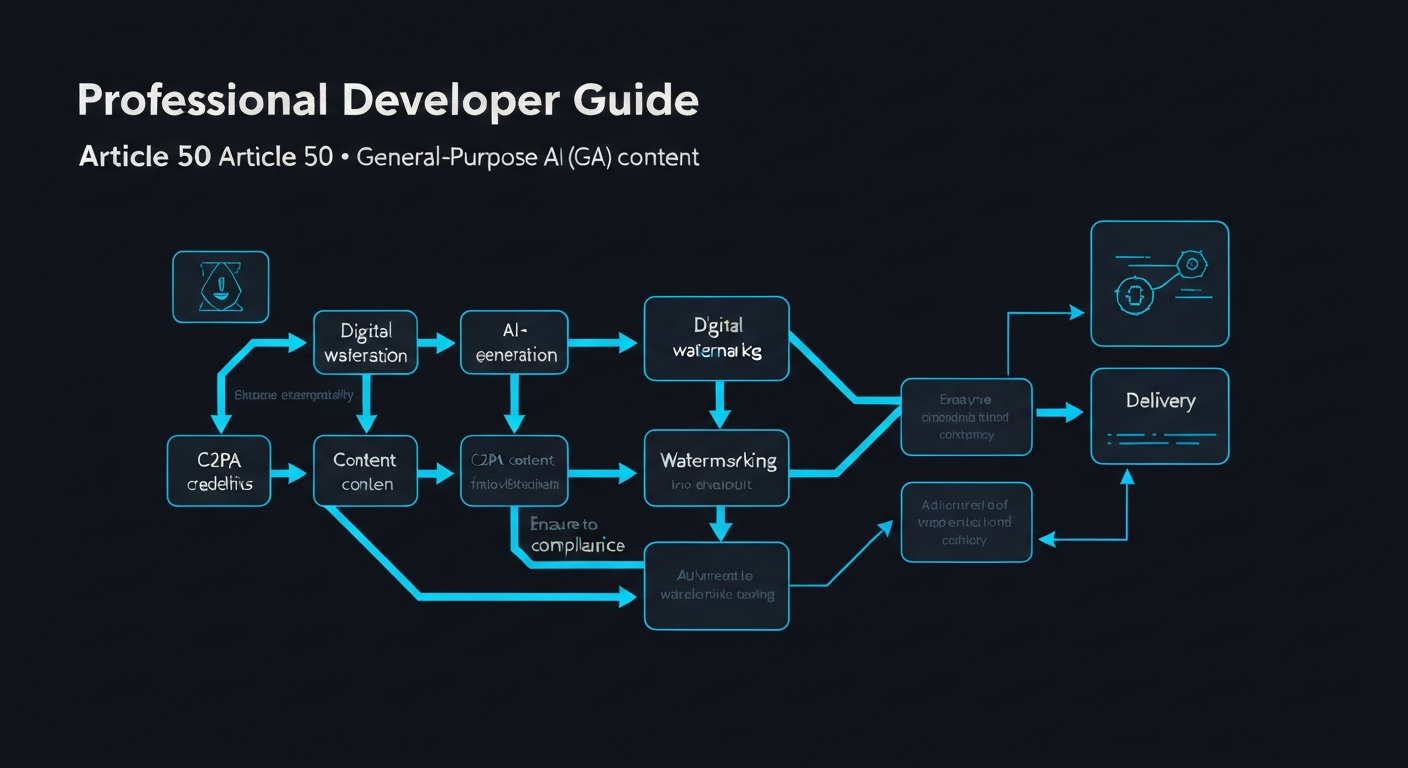
The EU AI Act's Article 50 transparency obligations come into full effect 2 August 2026. For developers building or deploying General-Purpose AI (GPAI) systems that generate synthetic content — images, audio, video, text — watermarking is no longer optional. It is a compliance obligation with enforcement consequences.
This guide shows you how to automate Art.50 watermarking as a pipeline step, using C2PA (Coalition for Content Provenance and Authenticity) as the technical standard, integrated into your CI/CD and serving infrastructure.
What Art.50 Actually Requires
Article 50 of the EU AI Act establishes transparency obligations for providers and deployers of certain AI systems. For GPAI systems generating synthetic content, the core obligation is machine-readable content marking:
Art.50 — The key obligations:
- Providers of AI systems that generate synthetic content (images, audio, video, text) must ensure outputs are marked in a machine-readable format that indicates the content is AI-generated
- Providers of GPAI systems (foundation models, large language models, image generators) must implement technical solutions that enable content authenticity verification
- Deployers using GPAI systems to generate content must ensure those systems carry forward the provenance metadata
What "machine-readable format" means in practice: the EU AI Act does not mandate a single standard, but the C2PA specification (ISO/IEC 21000-22) is the industry-accepted implementation path. Adobe Content Credentials, Google's SynthID, and Meta's watermarking tools all implement C2PA or compatible schemes.
Who this affects:
GPAI Provider (you build the model)  → Must implement watermarking at inference time
GPAI Deployer (you use the API)      → Must ensure outputs carry provenance metadata
Fine-tuner                           → Must preserve upstream C2PA manifests
Orchestrator                         → Must propagate content credentials through pipelines
If you are using a GPAI API (OpenAI, Anthropic, Mistral) and serving outputs to EU users, you are a deployer with transparency obligations. If you are building a model, you are a provider with deeper obligations.
Why Automation Matters: The Manual Approach Fails at Scale
A typical GPAI serving pipeline generates hundreds or thousands of synthetic content items per day. Manual watermarking is:
- Not auditable — no audit trail of which outputs were marked
- Not reproducible — no guarantee every output received credentials
- Not enforceable — national market surveillance authorities can sample outputs; unmarked content is evidence of non-compliance
The automation goal: every synthetic content item that exits your serving infrastructure carries a C2PA manifest, and you have a log proving it.
The C2PA Standard: Technical Foundation
C2PA (ISO/IEC 21000-22) defines a Content Credentials format — a cryptographically signed manifest that records:
- What created the content (AI model identifier, version)
- When it was created (timestamp, signed by a trusted authority)
- How it was created (actions taken, model provenance chain)
- Where modifications were made (edit history)
A C2PA manifest is embedded in the file's binary metadata (EXIF/XMP for images, ID3 for audio, container metadata for video). It survives typical download/re-upload cycles when the file is not re-encoded.
Content Item
├── Pixel/Audio/Text data
└── C2PA Manifest (signed)
    ├── Assertion: ai.generative (model=gpt-4o, version=2026-06)
    ├── Assertion: c2pa.created (ts=2026-06-08T09:00:00Z)
    ├── Assertion: c2pa.actions (actions=[ai.generated])
    └── Signature (X.509 cert, COSE-signed)
Pipeline Architecture: End-to-End Automation
Here is the reference pipeline for an image-generating GPAI deployer:
[User Request]
      ↓
[GPAI API Call] → image bytes
      ↓
[Watermark Service] ← C2PA signing key
      ↓
[C2PA Manifest Injection] → signed image bytes
      ↓
[Provenance Log] → audit trail (S3 / DB)
      ↓
[Response to User]
The watermark service is a thin sidecar that intercepts every GPAI output before it reaches the user.
Implementation: Python C2PA Watermarking Service
Install the official C2PA Python bindings:
pip install c2pa-python
Core Watermarking Module
# watermark/gpai_signer.py
import c2pa
import json
import hashlib
from datetime import datetime, timezone
from typing import Optional

class GPAIContentSigner:
    """Art.50-compliant C2PA signer for GPAI outputs."""

    def __init__(
        self,
        cert_pem_path: str,
        private_key_pem_path: str,
        model_id: str,
        model_version: str,
        provider_name: str,
    ):
        self.model_id = model_id
        self.model_version = model_version
        self.provider_name = provider_name

        with open(cert_pem_path, "rb") as f:
            self.cert_pem = f.read()
        with open(private_key_pem_path, "rb") as f:
            self.private_key_pem = f.read()

    def sign_image(
        self,
        image_bytes: bytes,
        mime_type: str = "image/png",
        request_id: Optional[str] = None,
    ) -> bytes:
        """Embed C2PA manifest into image bytes. Returns signed image bytes."""

        manifest = {
            "claim_generator": f"{self.provider_name}/c2pa-signer/1.0",
            "claim_generator_info": [
                {
                    "name": self.provider_name,
                    "version": "1.0",
                }
            ],
            "assertions": [
                {
                    "label": "c2pa.actions",
                    "data": {
                        "actions": [
                            {
                                "action": "c2pa.created",
                                "softwareAgent": {
                                    "name": self.model_id,
                                    "version": self.model_version,
                                },
                                "when": datetime.now(timezone.utc).isoformat(),
                                "digitalSourceType": (
                                    "http://cv.iptc.org/newscodes/digitalsourcetype/trainedAlgorithmicMedia"
                                ),
                            }
                        ]
                    },
                },
                {
                    "label": "com.eu-ai-act.transparency",
                    "data": {
                        "article": "50",
                        "obligation": "gpai_synthetic_content_marking",
                        "model_id": self.model_id,
                        "model_version": self.model_version,
                        "generated_at": datetime.now(timezone.utc).isoformat(),
                        "request_id": request_id or "",
                    },
                },
            ],
        }

        signer = c2pa.create_signer(
            self.sign_callback,
            c2pa.SigningAlg.ES256,
            self.cert_pem,
            "http://timestamp.digicert.com",
        )

        builder = c2pa.Builder(manifest)
        result = builder.sign(signer, mime_type, image_bytes)
        return result

    def sign_callback(self, data: bytes) -> bytes:
        from cryptography.hazmat.primitives import hashes, serialization
        from cryptography.hazmat.primitives.asymmetric import ec

        private_key = serialization.load_pem_private_key(
            self.private_key_pem, password=None
        )
        return private_key.sign(data, ec.ECDSA(hashes.SHA256()))
FastAPI Watermark Sidecar
# watermark/server.py
import asyncio
import logging
from fastapi import FastAPI, HTTPException
from pydantic import BaseModel
import base64
from .gpai_signer import GPAIContentSigner
from .audit_log import AuditLogger

logger = logging.getLogger(__name__)
app = FastAPI(title="Art.50 Watermark Service")

signer = GPAIContentSigner(
    cert_pem_path="/secrets/c2pa-cert.pem",
    private_key_pem_path="/secrets/c2pa-key.pem",
    model_id="your-model-id",
    model_version="1.0.0",
    provider_name="YourCompany",
)
audit = AuditLogger()


class SignRequest(BaseModel):
    image_b64: str
    mime_type: str = "image/png"
    request_id: str


class SignResponse(BaseModel):
    signed_image_b64: str
    manifest_hash: str
    request_id: str


@app.post("/sign", response_model=SignResponse)
async def sign_content(req: SignRequest) -> SignResponse:
    try:
        raw_bytes = base64.b64decode(req.image_b64)
        signed_bytes = await asyncio.to_thread(
            signer.sign_image,
            raw_bytes,
            req.mime_type,
            req.request_id,
        )
        import hashlib
        manifest_hash = hashlib.sha256(signed_bytes).hexdigest()

        await audit.log(
            request_id=req.request_id,
            mime_type=req.mime_type,
            manifest_hash=manifest_hash,
        )

        return SignResponse(
            signed_image_b64=base64.b64encode(signed_bytes).decode(),
            manifest_hash=manifest_hash,
            request_id=req.request_id,
        )
    except Exception as e:
        logger.error("Signing failed for %s: %s", req.request_id, e)
        raise HTTPException(status_code=500, detail="Signing failed")
Audit Logging: The Art.50 Evidence Trail
Regulators sampling your outputs will ask: "Can you prove this output was marked at generation time?" Your audit log is that proof.
# watermark/audit_log.py
import json
import boto3
from datetime import datetime, timezone

class AuditLogger:
    """Write-once audit log for C2PA signing events."""

    def __init__(self, bucket: str = "your-compliance-audit-bucket"):
        self.s3 = boto3.client("s3")
        self.bucket = bucket

    async def log(
        self,
        request_id: str,
        mime_type: str,
        manifest_hash: str,
    ) -> None:
        record = {
            "event": "c2pa_signed",
            "request_id": request_id,
            "mime_type": mime_type,
            "manifest_hash": manifest_hash,
            "timestamp": datetime.now(timezone.utc).isoformat(),
            "regulation": "EU AI Act Art.50",
        }
        key = f"art50-audit/{datetime.now(timezone.utc).date()}/{request_id}.json"
        self.s3.put_object(
            Bucket=self.bucket,
            Key=key,
            Body=json.dumps(record),
            # Write-once via S3 Object Lock (WORM)
            ContentType="application/json",
        )
Use S3 Object Lock in WORM mode or equivalent for audit records. Regulators may request records for any output you generated going back months.
CI/CD Integration: Gate Every Release
Add a C2PA validation step to your deployment pipeline:
# .github/workflows/gpai-compliance-check.yml
name: Art.50 C2PA Compliance Check

on:
  push:
    branches: [main]
  pull_request:

jobs:
  c2pa-validation:
    runs-on: ubuntu-latest
    steps:
      - uses: actions/checkout@v4

      - name: Install c2patool
        run: |
          curl -L https://github.com/contentauth/c2patool/releases/latest/download/c2patool-x86_64-unknown-linux-gnu.tar.gz | tar xz
          sudo mv c2patool /usr/local/bin/

      - name: Validate sample GPAI outputs
        run: |
          # Generate test outputs with your signing service
          python scripts/generate_test_outputs.py --count 10 --output /tmp/test-outputs/

          # Validate each output has a valid C2PA manifest
          FAILED=0
          for img in /tmp/test-outputs/*.png; do
            result=$(c2patool "$img" 2>&1)
            if echo "$result" | grep -q '"action": "c2pa.created"'; then
              echo "✓ $img — C2PA manifest valid"
            else
              echo "✗ $img — MISSING or INVALID C2PA manifest"
              FAILED=1
            fi
          done

          if [ "$FAILED" -eq 1 ]; then
            echo "Art.50 C2PA compliance check FAILED"
            exit 1
          fi
          echo "All outputs carry valid C2PA manifests"

      - name: Check art50 assertion presence
        run: |
          python scripts/check_art50_assertions.py /tmp/test-outputs/
The test script:
# scripts/check_art50_assertions.py
import sys
import json
import subprocess
from pathlib import Path

def check_art50_assertion(image_path: str) -> bool:
    """Return True if image carries a com.eu-ai-act.transparency assertion."""
    result = subprocess.run(
        ["c2patool", image_path, "--output-json"],
        capture_output=True, text=True
    )
    if result.returncode != 0:
        return False
    try:
        manifest = json.loads(result.stdout)
        assertions = manifest.get("manifests", {})
        for m in assertions.values():
            for assertion in m.get("assertions", []):
                if assertion.get("label") == "com.eu-ai-act.transparency":
                    return True
    except json.JSONDecodeError:
        return False
    return False

failed = 0
for path in Path(sys.argv[1]).glob("*.png"):
    if check_art50_assertion(str(path)):
        print(f"✓ {path.name}")
    else:
        print(f"✗ {path.name} — missing Art.50 assertion")
        failed += 1

sys.exit(failed)
Docker Deployment: Sidecar Pattern
Deploy the watermark service as a sidecar container alongside your GPAI serving container:
# docker-compose.yml
services:
  gpai-app:
    build: .
    environment:
      WATERMARK_SERVICE_URL: http://watermark-sidecar:8080
    depends_on:
      watermark-sidecar:
        condition: service_healthy

  watermark-sidecar:
    image: your-registry/watermark-service:latest
    volumes:
      - /run/secrets/c2pa-cert:/secrets/c2pa-cert.pem:ro
      - /run/secrets/c2pa-key:/secrets/c2pa-key.pem:ro
    healthcheck:
      test: ["CMD", "curl", "-f", "http://localhost:8080/health"]
      interval: 10s
      timeout: 5s
      retries: 3
    restart: always
# In your GPAI serving code:
import httpx
import base64

async def sign_output(image_bytes: bytes, request_id: str) -> bytes:
    async with httpx.AsyncClient(timeout=5.0) as client:
        resp = await client.post(
            "http://watermark-sidecar:8080/sign",
            json={
                "image_b64": base64.b64encode(image_bytes).decode(),
                "mime_type": "image/png",
                "request_id": request_id,
            },
        )
        resp.raise_for_status()
        return base64.b64decode(resp.json()["signed_image_b64"])
SynthID Alternative: For Google Vertex AI Users
If you use Google's Vertex AI Imagen or Gemini models, Google's SynthID is a built-in watermarking mechanism. Request SynthID via the API parameter:
from google.cloud import aiplatform

# Imagen API — SynthID enabled by default for EU customers
response = aiplatform.gapic.PredictionServiceClient().predict(
    endpoint=endpoint,
    instances=[{"prompt": "..."}],
    parameters={
        "sampleCount": 1,
        "watermark": True,  # Enable SynthID
    },
)
SynthID embeds a cryptographic signal in the pixel space that survives JPEG compression, cropping, and colour adjustments. It is detectable via Google's verification API, but is not C2PA-compatible — you cannot independently verify it without Google's API.
Compliance note: SynthID satisfies Art.50's "machine-readable format" obligation as long as you have a verification endpoint available to regulators. Document this in your technical documentation (required under Annex IV for high-risk systems).
What About Text Content?
Art.50 obligations extend to synthetic text generated by GPAI systems. Text watermarking is technically harder than image watermarking (no binary metadata container), but the obligation exists.
Current approaches:
- Response headers: Include
X-Content-AI-Generated: trueandX-AI-Model: <model-id>in API responses - Inline disclosure: Auto-prefix long-form generated content with a disclosure notice
- Invisible watermarking: Statistical distribution-based text watermarks (research phase, not production-ready for most systems)
- Metadata wrapper: Return content in a JSON envelope with
ai_generated: true,model: "<id>",generated_at: "<timestamp>"
For API-served text, the header approach plus JSON envelope is the practical compliance path today.
Verification: Testing Your Watermarking Pipeline
Before August 2026, test your pipeline end-to-end:
# tests/test_art50_compliance.py
import pytest
import c2pa
import asyncio
from watermark.gpai_signer import GPAIContentSigner

@pytest.fixture
def signer(test_cert, test_key, tmp_path):
    cert_path = tmp_path / "cert.pem"
    key_path = tmp_path / "key.pem"
    cert_path.write_bytes(test_cert)
    key_path.write_bytes(test_key)
    return GPAIContentSigner(
        cert_pem_path=str(cert_path),
        private_key_pem_path=str(key_path),
        model_id="test-model",
        model_version="1.0",
        provider_name="TestProvider",
    )

def test_signed_image_has_c2pa_manifest(signer, test_png_bytes):
    signed = signer.sign_image(test_png_bytes, "image/png", "req-001")
    assert signed != test_png_bytes  # Content changed (manifest embedded)

    reader = c2pa.Reader("image/png", signed)
    manifest_json = reader.json()
    import json
    manifest = json.loads(manifest_json)
    assert manifest is not None
    assert len(manifest.get("manifests", {})) > 0

def test_signed_image_has_art50_assertion(signer, test_png_bytes):
    signed = signer.sign_image(test_png_bytes, "image/png", "req-002")
    reader = c2pa.Reader("image/png", signed)
    import json
    manifest = json.loads(reader.json())

    found = False
    for m in manifest.get("manifests", {}).values():
        for a in m.get("assertions", []):
            if a.get("label") == "com.eu-ai-act.transparency":
                found = True
                assert a["data"]["article"] == "50"
    assert found, "Art.50 transparency assertion missing"

def test_audit_trail_created(signer, test_png_bytes, mock_s3):
    signer.sign_image(test_png_bytes, "image/png", "req-003")
    # Verify S3 put_object was called with audit record
    assert mock_s3.put_object.called
    call_args = mock_s3.put_object.call_args[1]
    import json
    record = json.loads(call_args["Body"])
    assert record["regulation"] == "EU AI Act Art.50"
Infrastructure Hosting: EU-Jurisdiction Requirement
Your watermark signing keys and audit logs contain evidence of your GPAI system's operation. Under GDPR and the EU AI Act, audit records related to EU users must be stored in a way that EU supervisory authorities can access them without CLOUD Act interference.
This means:
- Signing keys: Store in an HSM or secret manager on EU-jurisdiction infrastructure (no US parent company)
- Audit logs: Write-once storage (S3 Object Lock equivalent) on EU servers
- Verification API: Must be accessible to national market surveillance authorities
A managed PaaS on EU-native infrastructure (no US parent) eliminates the jurisdiction conflict by design: your C2PA signing service, your audit logs, and your GPAI serving infrastructure all run in the same clean jurisdiction.
Art.50 Compliance Checklist
Before 2 August 2026:
Provider obligations:
- C2PA or equivalent watermarking implemented at inference time
- Every synthetic content output carries a machine-readable provenance manifest
- Signing certificates issued by a trusted certificate authority
- Audit trail records who generated what, when, with which model
- Audit trail stored in write-once (WORM) storage
- CI/CD gate validates C2PA presence on every release
- Documentation describes watermarking mechanism (include in Annex IV technical docs)
- Verification endpoint available for market surveillance inspection
Deployer obligations:
- Upstream GPAI API passes C2PA manifests through (check provider documentation)
- Your serving pipeline does not strip or modify C2PA metadata
- Disclosure mechanism for end users (UI badge, API response field, or disclosure text)
- Audit logging of GPAI outputs served to EU users
- Contractual terms with GPAI provider confirm Art.50 compliance (Art.25 chain)
Testing:
- Sample 10% of outputs weekly — verify C2PA manifests present
- Automated CI/CD check on every merge
- Load-test signing pipeline at 2× expected peak (signer must not be a bottleneck)
- Verify manifests survive file format conversions (JPEG save, resize, crop)
Series Summary: EU AI Act Compliance Automation
This is post 4/5 in the compliance automation series:
- Art.72 Post-Market Monitoring — ML observability stack and drift detection pipeline
- Art.73 Incident Detection — Automated serious incident detection and AIIA notification pipeline
- Annex IV Documentation — CI/CD-generated technical documentation from MLflow/DVC
- Art.50 GPAI Watermarking (this post) — C2PA content credentials pipeline for synthetic content
- Full Automation Stack Finale (next) — Complete compliance pipeline combining all four systems
The August 2026 deadline is 56 days away. The gap between "we have watermarking" and "we have auditable, automated, WORM-logged watermarking with CI/CD gates" is the difference between passing and failing a regulatory inspection.
Hosting your GPAI compliance infrastructure on EU-native PaaS (no US parent, CLOUD Act-free) ensures your signing keys and audit logs stay in clean jurisdiction. sota.io deploys on Hetzner Germany — one deploy command, no CLOUD Act exposure.
EU-Native Hosting
Ready to move to EU-sovereign infrastructure?
sota.io is a German-hosted PaaS — no CLOUD Act exposure, no US jurisdiction, full GDPR compliance by design. Deploy your first app in minutes.